

Table of Contents
- Key Takeaways
- Quick DJI Mini 2 Gimbal Fixes to Try First
- How to Fix Your DJI Mini 2 Gimbal
- Step 1: Place the Drone on a Flat, Stable Surface
- Step 2: Run Automatic Gimbal Calibration in DJI Fly App
- Step 3: Try Manual Calibration (if auto fails)
- Step 4: Inspect for Loose Screws or Bent Arms
- Step 5: Gimbal Reset via DJI Assistant 2
- When the Problem with DJI Mini 2 Gimbal Is More Serious
- Signs Your Gimbal is Physically Broken
- What You Can Attempt at Home
- What Requires Professional Repair
- How to Prevent DJI Mini 2 Gimbal Issues in the Future
- Wrapping Up
- FAQs
- 1. Why does my DJI Mini 2 say “gimbal stuck”?
- 2. How do I calibrate my DJI Mini 2 gimbal?
- 3. Can I fix a DJI Mini 2 gimbal myself after a crash?
- 4. How much does it cost to fix a DJI Mini 2 gimbal?
- 5. Will opening my DJI Mini 2 void the warranty?
Your DJI Mini 2 throws a gimbal error, and suddenly, you can’t take smooth shots. Additionally, if you leave it unchecked, those minor issues can turn into costly repairs that impact both your time and wallet.
But here’s the upside: most of these issues are quick fixes you can handle yourself. From here, you’ll learn how to fix your DJI Mini 2 gimbal step by step. I’ll break down from simple resets to hands-on checks so that you can get back in the air with steady footage.
Key Takeaways
- Clear out dust or pebbles, remove the gimbal cover, and restart the drone. Most “gimbal stuck” errors are minor and fixable in minutes.
- Place the Mini 2 on a flat surface and try automatic calibration in the DJI Fly app. If that fails, adjust manually until the horizon looks level.
- If calibration stalls, the gimbal twitches without control, or you see error codes such as 40002 or 40021, the problem is likely hardware-related. At that point, you’ll need repair or replacement.
Quick DJI Mini 2 Gimbal Fixes to Try First
Before you pack your Mini 2 for repair, try these quick fixes. Most “gimbal stuck” errors aren’t serious. Instead, they’re usually caused by minor issues that you can resolve in minutes.
In fact, some of the most common DJI Mini 2 gimbal problems can be solved right at home.
- Check for Obstructions: Dust, grit, or small pebbles can wedge into the moving arms of your gimbal. So, get it under good light and look closely around the joints where the camera tilts. Clear anything that doesn’t belong.
- Power Cycle Reset: Turn off both your drone and the controller. Wait a few seconds, then power them back up. A clean restart often clears temporary gimbal errors.
- Remove the Gimbal Cover: If you left the clear plastic protector on, the gimbal can’t move during startup. Thus, always pop it off before switching on so the self-check can finish properly.
- Use Compressed Air Safely: If you’ve flown off dirt or sand, debris can jam the gimbal. In this case, use light bursts of air to clear it while gently moving the gimbal by hand. Skip liquid cleaners or high-pressure air as both can damage the motors.
How to Fix Your DJI Mini 2 Gimbal
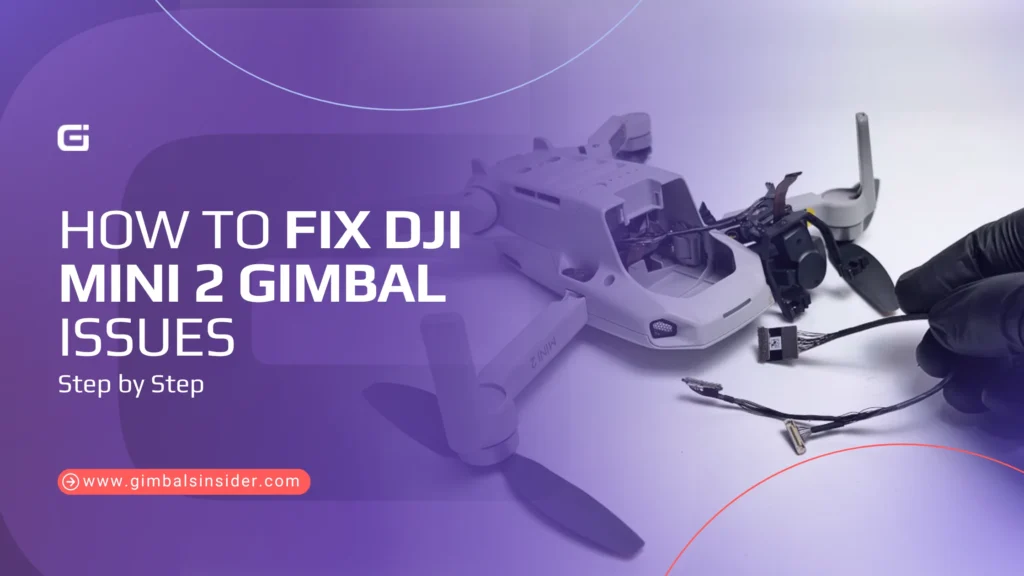
Today, I’ll be going through the most common issues with the Mini 2, which include getting stuck or misaligned.
Step 1: Place the Drone on a Flat, Stable Surface
First things first, set your Mini 2 down on a completely level surface, like a solid table or a landing pad. Also, avoid dirt, pebbles, or uneven flooring. A steady base gives the gimbal a clean start and stops small tilts from disturbing the calibration.
Step 2: Run Automatic Gimbal Calibration in DJI Fly App
Power up the drone and open the DJI Fly app. Head to
Settings → Control → Gimbal Calibration
Select Automatic and let the gimbal go through its sweep. Additionally, don’t touch the drone until the process is complete. If all goes well, the camera will return to center and hold steady.
Related Read: How to Calibrate Gimbal DJI Mini 3 Pro
Step 3: Try Manual Calibration (if auto fails)
If auto calibration fails or the horizon still looks skewed, switch to Manual Calibration. It allows you to adjust yaw and horizontal angles manually.
In this case, pick a clear line, like the horizon or a building edge, as your guide. Then nudge the settings until the picture looks level. It usually fixes small alignment issues after light bumps.
Step 4: Inspect for Loose Screws or Bent Arms
If it’s not fixed yet, power off the drone and check the hardware up close. Look for —
- Loose screws around the gimbal mount
- Bent or twisted suspension arms
- Rubber dampers stretched or popped out of place
- Dust or grit caught in the joints
Even a small obstruction can jam movement. If you see cracks, broken arms, or major bends, the gimbal may require DJI Mini 2 gimbal replacement parts rather than just calibration.
Step 5: Gimbal Reset via DJI Assistant 2
If calibration alone won’t solve it, the next step is a software reset. Connect your Mini 2 to a computer using a proper USB-C data cable (not just a charging cable). Next, Open DJI Assistant 2, wait for the drone to be recognized, then —
- Go to Firmware Update
- Select Restore Factory Defaults
- Restart the drone and run gimbal calibration again
It clears out stored errors and gives the gimbal a fresh start. If it still reports “stuck” or tilts after this, it’s time to reach out to DJI or a trusted repair shop.
When the Problem with DJI Mini 2 Gimbal Is More Serious
Before we get into deeper troubleshooting, it’s worth noting that not every gimbal issue can be solved with a quick reset or blast of air. Sometimes the signs point to damage that needs real attention.
Signs Your Gimbal is Physically Broken
A gimbal is built light to keep the Mini 2 under the 249 g threshold, and when it suffers, it shows in very specific ways. Watch closely for these red flags —
- If your drone starts flying sideways and the gimbal can’t keep the horizon straight, it’s usually more than a software quirk. A bent arm or worn suspension band can lock the camera into a crooked stance.
- Messages like 40002 (Gimbal Stuck), 40003 (DJI Mini 2 Gimbal Motor Overload), or 40021 (Calibration Failed) are signals that it can’t recover on its own. These codes usually surface after crashes, dust intrusion, or cable damage.
- A broken gimbal often dances when the drone powers on, but then stops responding to the controller wheel. The motors may twitch occasionally, but real-time input is gone.
If you see one or more of these symptoms, you’re likely dealing with physical failure rather than a temporary glitch. At that stage, calibration attempts may stall at 80%, canned air won’t help, and firmware updates won’t change the outcome.
Important Read: How to Fix DJI Drone Gimbal
What You Can Attempt at Home
Before sending your drone to DJI, there are a few careful things you can still try at home.
- Check the soft rubber suspension bands as they hold the gimbal in place. If one slips, stretches, or tears, the gimbal won’t float freely. Gently inspect each band with a flashlight. If it’s torn or dangling, you’ll need to reattach or replace it.
- After impact or repair, gimbal ribbons and plugs that carry power and signals to the motors may loosen. Open the top panel carefully for safe DJI Mini 2 gimbal removal and ensure all cables sit snugly in their sockets.
- A community fix uses calibration Python scripts to reset alignment when normal DJI calibration fails. It’s not official, carries risk, but has revived gimbals after crashes for some users.
What Requires Professional Repair
Here are the warning signs that point to a repair shop:
- These slim arms hold the camera in place. Once they crack, you’ll notice shaky video or a camera won’t stay level. In that case, don’t waste time with glue or tape; it needs a proper replacement.
- If your gimbal refuses to complete calibration despite multiple attempts, it signals an internal alignment fault. The drone might reach 70 to 80% and then fail, or it may show repeated error codes like 40002 or 40021. When recalibration cycles stall repeatedly, the underlying sensors or wiring may be compromised.
- During startup, the gimbal should swing, level, and then hold steady. If it remains frozen, twitches without command, or ignores your controller input after resets, the core motors may be burnt out or disconnected. At this point, software fixes and compressed air won’t revive it.
At any of these stages, it’s best to contact DJI for guidance on a full replacement and to get a clear idea of the DJI Mini 2 gimbal replacement cost.
How to Prevent DJI Mini 2 Gimbal Issues in the Future
A drone’s gimbal is its weakest joint and its most important one. Treat it with care, and you’ll avoid many repair headaches and keep your Mini 2 flying steady.
- Never power on with the protective cover attached. The gimbal needs free movement to calibrate. So, if you leave the cover on even once, it can strain or burn the motor.
- Dusty roads, gravel, or grass can send debris into the gimbal during takeoff and landing. That’s why you should use a simple foldable landing pad to keep the camera mechanism cleaner and safer over time.
- Extra weight from poorly designed ND filters can upset the balance of the Mini 2 gimbal. So, stick with DJI filters or trusted lightweight brands to avoid overload errors.
- A protective hard or semi-rigid case shields the gimbal from knocks during travel. Soft bags or loose packing often lead to small misalignments that become bigger problems in flight.
- A 10-second routine can save you hours of repair. Thus, confirm battery charge, inspect propellers, remove the gimbal cover, and check that the gimbal is freely moving before lift-off.
Wrapping Up
When it comes to how to fix DJI Mini 2 gimbal, it usually isn’t as heavy as it first looks. In many cases, it’s simply dust, a missed calibration, or forgetting to remove the cover.
A quick reset or a run-through of DJI Assistant 2 often clears things up quickly. But if you notice bent arms, stubborn error codes, or motors that won’t respond, that’s your cue to get it checked by a pro.
FAQs
1. Why does my DJI Mini 2 say “gimbal stuck”?
Your DJI Mini 2 displays a “gimbal stuck” error when dust, debris, crashes, or tight storage restricts its free movement. Misaligned parts, heavy filters, or even leaving the gimbal cover on can also trigger the error.
2. How do I calibrate my DJI Mini 2 gimbal?
To calibrate your DJI Mini 2 gimbal, place the drone on a flat surface, power it on, open DJI Fly, and select gimbal calibration. Try automatic first, then manual if needed. Keep firmware up to date and avoid obstacles around the gimbal during setup.
3. Can I fix a DJI Mini 2 gimbal myself after a crash?
Yes, minor DJI Mini 2 gimbal issues can sometimes be fixed at home by removing debris, reseating the bands, or recalibrating with tools like Python scripts. However, broken arms or cables typically require replacement or DJI service to restore full control.
4. How much does it cost to fix a DJI Mini 2 gimbal?
It can cost $80 to $150 to fix a DJI Mini 2 gimbal through DJI, often with a refurbished replacement. DIY part swaps can cost between $100 and $200. Insurance or DJI Care Refresh can make it much cheaper. However, without coverage, repair bills can rise quickly.
5. Will opening my DJI Mini 2 void the warranty?
Yes, opening or modifying your DJI Mini 2 usually voids the warranty. In fact, DJI warns against self-repairs, as removing covers or replacing the gimbal can leave permanent flags in firmware. Official service or DJI Care is safer to keep warranty protection.



Leave A Reply
Comment submitted successfully!